The icon editor in LIFETIME LOGO MAKER allows you to add and remove various shapes, and the most powerful of these is the Path tool.
In fact, Path is so powerful that you can create almost any shape using it alone.
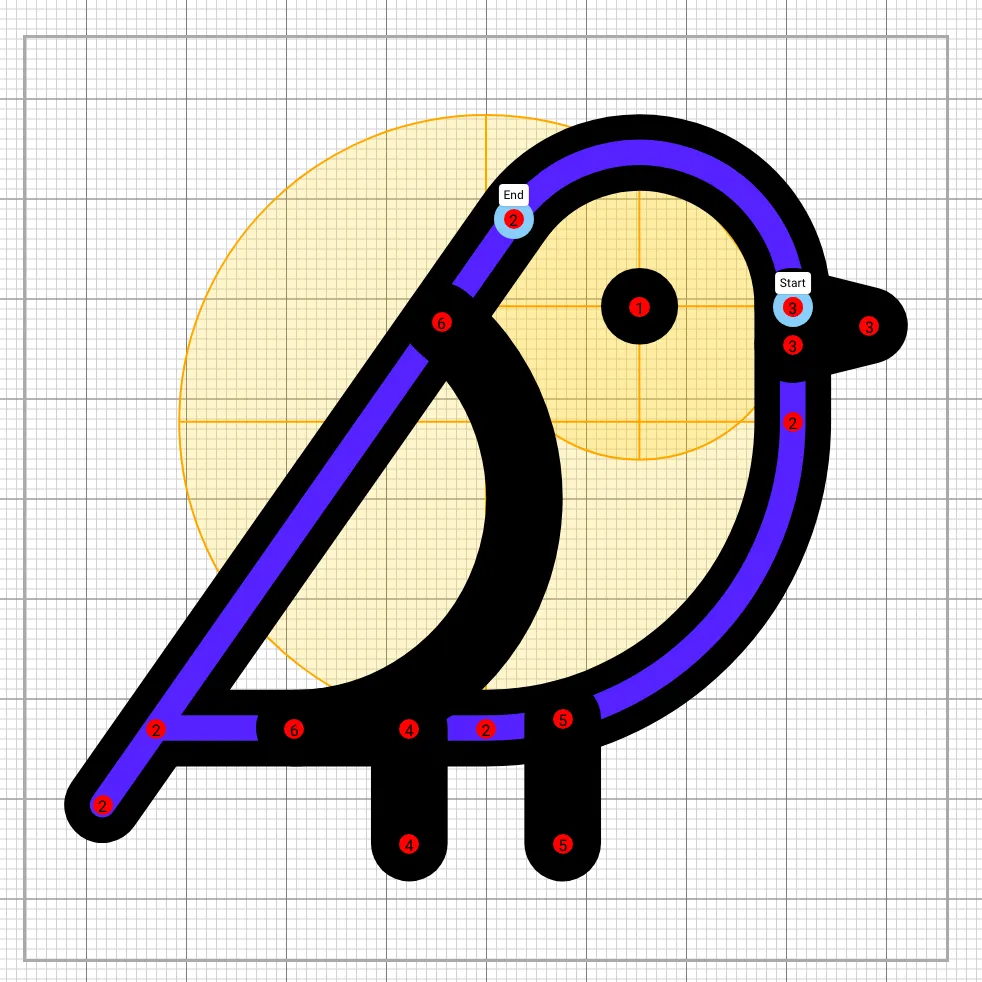
This is because Path is essentially a superior version of other shapes (line, rect, circle, ellipse, etc.). By mastering Path, you can create beautiful and easy logos.
A Path consists of multiple segments. In our Editor, you can add, change, or delete each segment type.
Let’s explore the types of segments available.
1. Line
The simplest command, which draws a straight line to the endpoint.
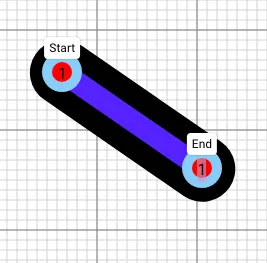
2. Quadratic Curve
A curve with a single control point, making it straightforward to adjust.

3. Smooth Quadratic Curve
Think of this as a loyal soldier following the commander. After placing a Quadratic Curve, the Smooth Quadratic Curve automatically calculates the control point from the previous Quadratic Curve to ensure the two curves connect smoothly.
Note: It only works correctly if it follows a Quadratic Curve or Smooth Quadratic Curve.

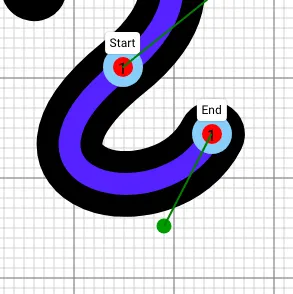
4. Cubic Curve
With two control points, the Cubic Curve allows for a greater variety of shapes and is the most commonly used curve.

5. Smooth Cubic Curve
Similar to the Smooth Quadratic Curve, this segment automatically calculates the first control point from the previous Cubic Curve, ensuring smooth transitions between the curves.
Note: It must follow a Cubic Curve or Smooth Cubic Curve to work correctly.
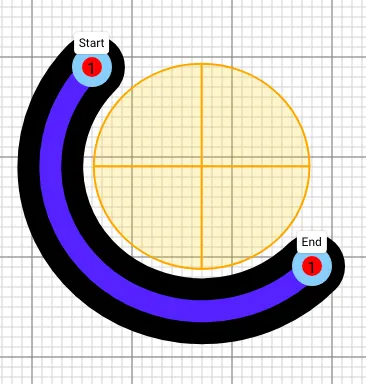
6. Arc
Arcs are surprisingly useful and involve drawing an ellipse and using its arc to connect two points. While more parameters need to be adjusted (horizontal radius, vertical radius, rotation angle, two on/off flags), they can produce beautiful curves when done right.

By using the Path editor in LIFETIME LOGO MAKER, you can change, remove, or add segment types easily. You can also adjust control points with ease.
